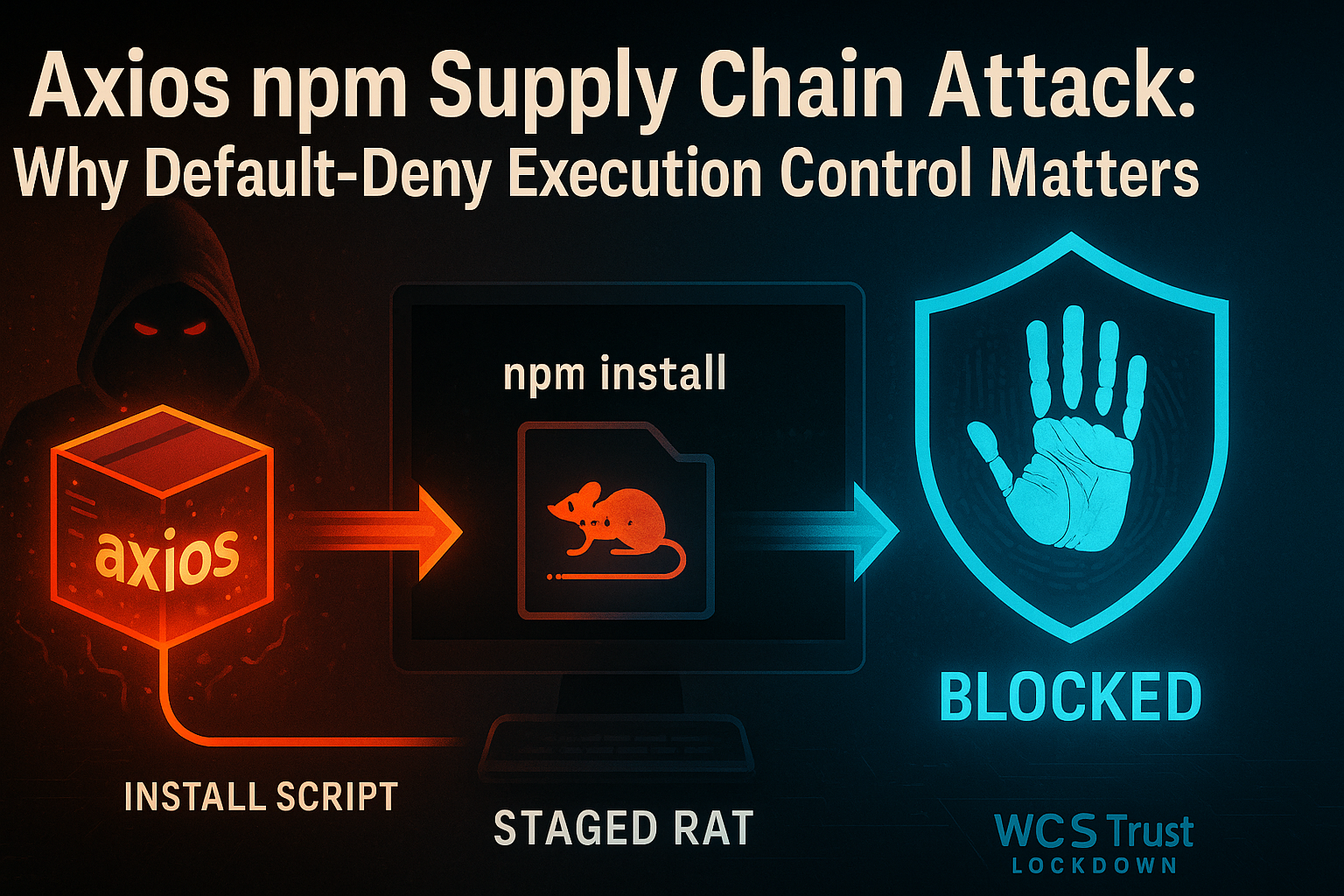
Axios npm Supply Chain Attack: Why Default-Deny Execution Control Matters
Date: April 8, 2026
Executive Summary
- What happened: On March 31, 2026, malicious versions of the
axiosnpm package —[email protected]and[email protected]— were published to the npm registry. The packages contained a covertly injected dependency that executed a second-stage remote access trojan (RAT) automatically duringnpm install, with no user interaction required. (Microsoft Security Blog) - Who is responsible: Microsoft attributed the campaign to Sapphire Sleet, a North Korea-linked threat actor also tracked as BlueNoroff and CryptoCore, with a documented focus on cryptocurrency, venture capital, and financial sector targets.
- Who is affected: Any developer, CI/CD pipeline, or production system that installed
[email protected]or[email protected]directly from the npm registry. Axios has over 70 million weekly downloads, making this one of the highest-exposure supply chain events in the JavaScript ecosystem to date. - What to do: Roll back to
[email protected]or[email protected], removeplain-crypto-jsfrom yournode_modules, flush your npm cache, and rotate any secrets or credentials accessible from affected environments. Organizations running WCS Trust Lockdown in Block Mode would have had the second-stage payloads blocked at the execution stage.
What Happened in the Axios npm Compromise
On March 31, 2026, an attacker — attributed by Microsoft to Sapphire Sleet — published two malicious versions of axios to the public npm registry: [email protected] and [email protected]. These were not typosquatted lookalikes. They were published under the legitimate axios package name, replacing the expected versions.
The technical mechanism was a surgical manifest-only change: a hidden dependency, [email protected], was inserted as a fake runtime dependency. This package was never imported in application code, but it contained a setup.js post-install script that executed automatically whenever npm install ran — with no user interaction, no visible prompt, and no warning.
The setup.js loader performed platform detection and fetched OS-specific payloads from attacker-controlled infrastructure at sfrclak[.]com:8000:
- Windows: A PowerShell-based RAT that established persistence via a registry run key and communicated with the attacker's command-and-control server via encoded HTTP POST requests.
- macOS: A native binary (
com.apple.act.mond) deployed to/Library/Caches/and launched in the background vianohup osascript. - Linux: A Python-based payload (
ld.py) written to/tmp/and launched withnohup python3.
Each RAT supported remote command execution, file enumeration, and follow-on payload delivery. Sapphire Sleet's primary operational focus — cryptocurrency theft and financial sector credential harvesting — aligns with the access these RATs would provide.
Microsoft's article recommends rolling back to safe versions [email protected] and [email protected], flushing the npm cache, removing plain-crypto-js from installed modules, and rotating all credentials accessible from potentially affected systems. (Microsoft Security Blog)
Why Software Supply Chain Attacks Are So Dangerous
The Axios compromise illustrates a structural problem in modern software development: the assumption that a familiar package name means a safe package.
The post-install execution problem
Package managers like npm are designed for convenience. Post-install scripts execute automatically as part of a standard npm install workflow — the same workflow developers and build agents run dozens of times per day. There is no prompt, no approval, and no visible indication that arbitrary code is executing. A developer pulling an updated dependency in the course of ordinary maintenance is, from the operating system's perspective, indistinguishable from a developer running a malicious installer.
The scale problem
axios is not an obscure dependency. It is one of the most widely installed JavaScript libraries in existence — over 70 million weekly downloads. Every JavaScript project that uses it, every CI/CD build pipeline that reinstalls dependencies, every Docker build that runs npm install was a potential exposure vector. The attack surface for a compromised core dependency at this scale is effectively the entire JavaScript ecosystem.
The update workflow as delivery mechanism
Dependency bots, automated build pipelines, and standard development workflows all assume that pulling the latest published version of a trusted package is safe. That assumption is what supply chain attacks exploit. The malicious payload was not delivered via phishing, not via a suspicious attachment, and not via a known vulnerability. It arrived through the exact same workflow that delivers legitimate updates.
Sapphire Sleet's playbook
Sapphire Sleet (also tracked as BlueNoroff, CryptoCore, and UNC1069) has been active since at least 2020 and is a well-documented North Korea-linked threat actor with a consistent focus on cryptocurrency theft and financial sector credential access. Targeting a package with tens of millions of weekly downloads fits their operational pattern: high-breadth initial access to developer and platform environments where cryptocurrency wallets, exchange credentials, and financial API keys are likely to reside.
At White Cloud Security, we continue to track and report new hacking methods and tools — not just because of its immediate threat, but because patterns of reuse often expose the playbooks of these cybercriminal groups.
How White Cloud Security Would Have Prevented the Malicious Payload Deployment
WCS Trust Lockdown is a default-deny / approved-only Zero-Trust App Firewall. It does not rely on behavioral heuristics, signature scanning, or anomaly detection as its primary mechanism. Instead, it requires that every executable, script, binary, and payload be explicitly approved before it can run — verified by its 6-Factor Cyber-Metric Handprint: a combination of CRC32, MD5, SHA-1, SHA-256, SHA-512, and file byte-length that uniquely identifies each file version.
Scenario 1: Developer laptop pulls the malicious update
A developer runs npm install in a project that uses axios. The package manager downloads [email protected] and, as part of the installation, also downloads and runs [email protected]'s setup.js post-install script. The script fetches the Windows RAT (a PowerShell script) from sfrclak[.]com, writes it to %PROGRAMDATA%, and attempts to execute it.
Under WCS Trust Lockdown:
- The PowerShell script dropped by
setup.jsis a new file with a handprint that has never been approved in the organization's Trust List. - When execution is attempted — whether directly or via
setup.jsinvoking PowerShell — Trust Lockdown intercepts the execution request. - The handprint check fails: this file is not on the approved list.
- Execution is denied. The RAT never runs. An alert is generated immediately.
The npm install completes (the package writes to disk), but the malicious payload cannot execute. No credentials are harvested. No C2 connection is established.
Scenario 2: CI/CD build agent pulls the malicious dependency
A build pipeline runs npm ci against a package-lock.json that resolves to [email protected]. The build agent downloads the dependency, the post-install script fires, the platform-specific payload (Linux: ld.py written to /tmp/) is staged and launched.
Under WCS Trust Lockdown on the build agent host:
- The Python script written to
/tmp/ld.pyhas never been approved. - Execution from
/tmp/— a common staging path for dropped payloads — can be restricted by policy. - The execution attempt is intercepted, handprint-checked, found unapproved, and blocked.
- The build log captures the blocked execution event. The pipeline team is alerted before the payload phones home.
What WCS does not do
WCS does not prevent a malicious package from being published to npm. It does not inspect package registry metadata or intercept npm install at the download stage. Its protection is at the execution stage — controlling what software is actually permitted to run on a protected endpoint, regardless of how it arrived there.
That distinction matters: in the Axios case, the initial npm installation of the malicious package is not itself the damage. The damage begins when the second-stage RAT executes and establishes persistence. That is the stage WCS is designed to prevent.
Antivirus vs. Zero-Trust Default-Deny: Why the Difference Matters
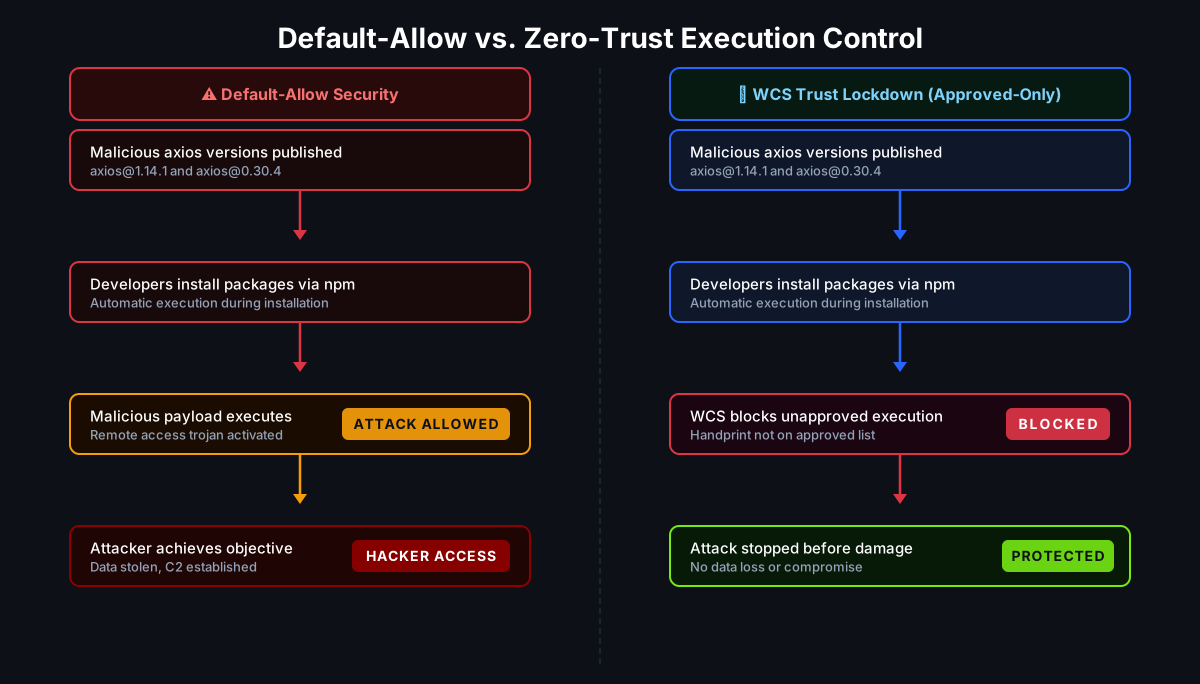
Traditional antivirus and EDR tools operate in a default-allow model: software is permitted to run unless it is known to be bad. This model has fundamental limitations against supply chain attacks:
- The payload is new. A freshly compiled, freshly staged RAT has no signature in any threat database at the moment it first executes. Behavioral detection must observe the malware running before it can classify and respond.
- The delivery channel is trusted. npm is a legitimate platform. Post-install scripts are a legitimate feature. There is no inherent behavioral signal that distinguishes a malicious
setup.jsfrom a legitimate one until after the payload begins operating. - Dwell time creates exposure. In a default-allow environment, the RAT may execute, establish persistence, enumerate credentials, and exfiltrate data before detection alerts fire. The question is not whether detection eventually succeeds — it is how much damage occurred in the window between execution and response.
WCS Trust Lockdown operates on the opposite assumption: nothing executes unless it has been explicitly approved. The question is not "is this file known to be bad?" but "has this file ever been authorized to run?" A new RAT payload — regardless of how it arrived, what it is named, or where it was staged — has no approved handprint and therefore cannot execute.
This is not a theoretical distinction. In the Axios case, the window between npm install running and the RAT establishing a registry persistence key is measured in seconds. Detection-based tools may not fire within that window. Prevention-based tools do not need to.
What Organizations Should Do Right Now
Immediate remediation
- Identify exposure: Check
package-lock.json,npm list axios, and CI/CD pipeline logs for any installation of[email protected]or[email protected]. Check for the presence ofplain-crypto-jsinnode_modules. - Roll back: Downgrade to
[email protected]or[email protected]in all affected environments. Use overrides inpackage.jsonto force pinned versions for transitive dependencies. - Clean up: Remove
plain-crypto-jsfromnode_modules. Runnpm cache clean --forceto flush any cached malicious packages. - Rotate credentials: Any secrets accessible from an affected environment — API keys, cloud credentials, npm tokens, CI/CD secrets, SSH keys, cryptocurrency wallet credentials — should be treated as potentially compromised and rotated immediately.
- Hunt for indicators: Check for outbound connections to
sfrclak[.]comor142.11.206.73on port 8000. On Windows, inspectHKCU:\Software\Microsoft\Windows\CurrentVersion\Run\MicrosoftUpdatefor persistence entries. On Linux/macOS, check for unexpected processes launched from/tmp/or/Library/Caches/.
Preventive measures going forward
- Pin exact versions: Remove
^(caret) and~(tilde) version prefixes frompackage.jsondependencies. Use exact version pins that require deliberate review to change. - Disable post-install scripts: Run
npm ci --ignore-scriptsin CI/CD pipelines where post-install script execution is not required. This eliminates the automatic execution vector entirely. - Restrict or audit dependency bots: Automated tools like Dependabot and Renovate that auto-update dependencies should be reviewed and scoped appropriately, particularly for high-exposure packages in production or platform environments.
- Apply application control to build environments: CI/CD runners, build agents, and developer workstations are high-value targets precisely because they have access to source code, deployment credentials, and signing infrastructure. Treating them as security-relevant hosts — with approved-only execution policies — reduces the blast radius of a supply chain compromise significantly.
Key Takeaways
- Malicious
[email protected]and[email protected]were published to npm on March 31, 2026, containing a covertly injected dependency that automatically executed a second-stage RAT duringnpm install. - Microsoft attributed the campaign to Sapphire Sleet, a North Korea-linked threat actor focused on cryptocurrency and financial sector targets.
- With over 70 million weekly downloads,
axiosrepresents one of the broadest supply chain exposure events in the JavaScript ecosystem to date. - The attack required no user interaction beyond a standard
npm install— the post-install script mechanism provided automatic code execution. - Default-allow environments allow the payload to execute and establish persistence before detection tools respond; the damage occurs in the window between execution and alert.
- WCS Trust Lockdown would have blocked the second-stage RAT at the execution stage: new or modified files without an approved handprint cannot run, regardless of how they arrived or what process invoked them.
- Immediate actions: roll back to safe
axiosversions, removeplain-crypto-js, flush the npm cache, and rotate all credentials accessible from potentially affected environments.