When Trusted Tools Turn Malicious: The CPU-Z and HWMonitor Supply Chain Breach
Date: April 11, 2026
Executive Summary
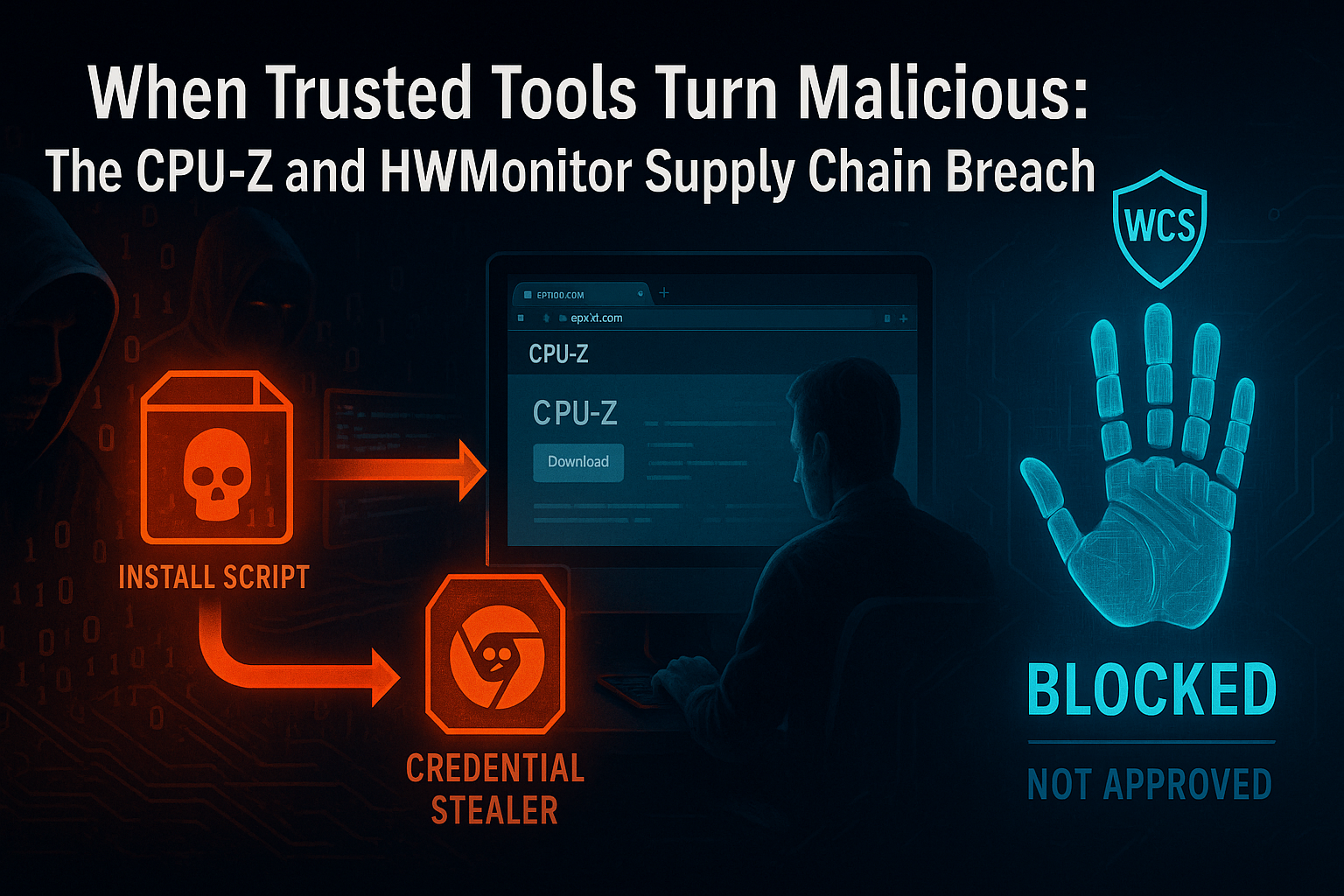
- What happened: Attackers compromised a backend component of CPUID's official download infrastructure, replacing the installer links for CPU-Z and HWMonitor with trojanized binaries hosted on attacker-controlled servers. The malicious downloads were live for approximately six hours before CPUID detected and remediated the breach.
- Who is responsible: Attribution is ongoing. The malware's credential-theft focus and evasion sophistication are consistent with financially motivated threat actors targeting developer and IT professional workstations.
- Who is affected: Any user who downloaded CPU-Z or HWMonitor from the official CPUID website during the compromise window. The attack specifically targeted Chrome-stored credentials, making users with saved browser passwords at elevated risk.
- What to do: If you downloaded either tool from cpuid.com during April 2026, treat the installed binary as potentially compromised. Run a full endpoint scan, rotate any credentials stored in Chrome or other browsers, and check for unauthorized persistence mechanisms. Organizations running WCS Trust Lockdown in Block Mode would have had the malicious installers blocked at the execution stage — the file handprint was not on any approved Trust List.
What Happened
CPUID is the developer of two of the most widely used PC hardware monitoring utilities on Windows: CPU-Z, which provides detailed CPU, memory, and motherboard information, and HWMonitor, which reads hardware sensor data including temperatures, voltages, and fan speeds. Both tools are staples of system builder, overclocker, IT administrator, and developer toolkits — downloaded tens of millions of times from cpuid.com.
In April 2026, attackers gained access to a backend component of CPUID's download infrastructure. Crucially, this was not a compromise of CPUID's code-signing keys or build pipeline. The legitimate, signed binaries were not touched. Instead, the attackers targeted a side API or backend redirect mechanism that controls where official download links resolve — and replaced the delivered installer files with malicious versions hosted on attacker-controlled infrastructure.
From a user's perspective, the attack was invisible. You visited cpuid.com. You clicked the official download button for CPU-Z or HWMonitor. The download began from what appeared to be a normal CPUID-associated URL. What arrived was a trojanized installer.
The malicious payload
The substituted installers were multi-stage:
- Stage 1 — Legitimate-looking installation: The trojanized binary completed a functional software installation, giving the user no reason to suspect anything was wrong. CPU-Z or HWMonitor appeared to install and run normally.
- Stage 2 — Credential harvester deployed: Alongside the legitimate application files, the installer dropped a credential-theft payload targeting Chrome's local credential store. The malware extracted saved usernames, passwords, session cookies, and autofill data.
- Stage 3 — Evasion and persistence: The payload used obfuscation techniques and, in some variants, ran partially in-memory to avoid creating files that signature-based scanners could flag. In some observed cases, the malware established persistence via a scheduled task or registry run key to maintain access even after the initial session.
The attack window was approximately six hours — short enough that many organizations' threat intelligence feeds did not flag the malicious hashes before users had already installed the compromised software. Some users were protected by Windows Defender, which caught certain variants. Many were not.
Why This Attack Is So Dangerous
Trust is the weapon
CPU-Z and HWMonitor are not obscure tools. They are specifically popular among the people most likely to have valuable credentials on their workstations: developers, system administrators, IT engineers, and security professionals. These are accounts with access to source code repositories, production infrastructure, cloud consoles, and internal networks.
An attacker who harvests a DevOps engineer's Chrome-stored passwords is not just stealing a personal account — they are potentially opening a path to GitHub tokens, AWS console sessions, VPN credentials, and CI/CD pipeline secrets. The choice of target tools was not accidental.
No visible trust signals were broken
The official CPUID website was legitimate. The download button was real. The URL structure looked correct. The installed software functioned as advertised. There was no phishing email to recognize, no suspicious sender to question, no unexpected file type to trigger suspicion. The entire delivery chain appeared authentic because the delivery infrastructure itself was compromised.
Traditional user training — "don't click suspicious links," "verify the source" — provides no protection here. Users did everything right. The source was compromised.
Short windows create long exposures
Six hours is a short compromise window. It is also long enough to reach tens of thousands of downloads given the popularity of these tools. And credential theft payloads are not self-limiting: a harvested set of passwords does not expire when the attack window closes. Credentials stolen during a six-hour window may not be used for weeks or months — after security teams have moved on from the initial incident.
At White Cloud Security, we continue to track and report new hacking methods and tools — not just because of their immediate threat, but because patterns of reuse often expose the playbooks of these cybercriminal groups.
Why Antivirus and EDR Failed
The signature problem
The legitimate CPUID binaries were signed with CPUID's valid code-signing certificate. The attackers did not need to forge or steal that certificate because they never modified the signed files. The malicious payload was delivered alongside legitimate software, not embedded in it. A scanner checking the code-signing signature of cpuz.exe would find a perfectly valid CPUID signature — and would be checking the wrong file.
The credential harvester itself was a new or modified binary. At the moment of delivery, it had no established reputation. Signature-based detection requires a known-bad signature. Behavioral detection requires the malware to begin operating. In both cases, the detection occurs after the file has executed on the endpoint.
In-memory evasion
Some variants of this payload were designed to operate partially or entirely in-memory after the initial dropper ran. Once a process is running, signature scanners lose their primary advantage — there is no file on disk to scan. Behavioral detection engines must then identify malicious behavior patterns in real time, while the payload is actively harvesting credentials.
The dwell-time window
Even when behavioral or heuristic detection eventually fires, there is a gap between initial execution and alert response. In the context of credential theft, that gap is the attack. Chrome's credential store can be read and exfiltrated in seconds. By the time an EDR alert surfaces and a human analyst begins investigation, the data is already in the attacker's hands.
How White Cloud Security Would Have Stopped This
The Trust Lockdown model
WCS Trust Lockdown is a default-deny / approved-only Zero-Trust App Firewall. It does not ask "is this file known to be bad?" It asks "has this file ever been explicitly authorized to run on this endpoint?"
Every executable, installer, script, and binary is identified by a 6-Factor Cyber-Metric Handprint: CRC32, MD5, SHA-1, SHA-256, SHA-512, and file byte-length. This combination uniquely identifies each specific version of each file. An approved version of CPU-Z has a specific, known handprint. A trojanized version — even one that installs the same legitimate application alongside its malicious payload — has a different handprint, because its binary content is different.
What would have happened
When a user on a WCS-protected endpoint downloaded and attempted to run the trojanized CPUID installer:
- The installer binary was written to disk.
- The user double-clicked or the browser auto-ran the installer.
- WCS Trust Lockdown intercepted the execution request before any process was created.
- The handprint of the installer was checked against the organization's Trust List.
- The trojanized installer had never been approved. Its handprint was not present.
- Execution was denied. An alert was generated. The installer ran nothing — not the legitimate software installation, and not the credential harvester.
No credentials were stolen. No persistence was established. No in-memory payload loaded. The malicious installer sat inert on disk, unable to execute.
Trust is not inherited from the download source — it is verified per file.
A file downloaded from cpuid.com receives no special trust from WCS Trust Lockdown. The download origin is irrelevant. What matters is whether this specific binary, with this specific handprint, has been explicitly approved to run. The trojanized installer had not been approved — and so it did not run.
The comparison
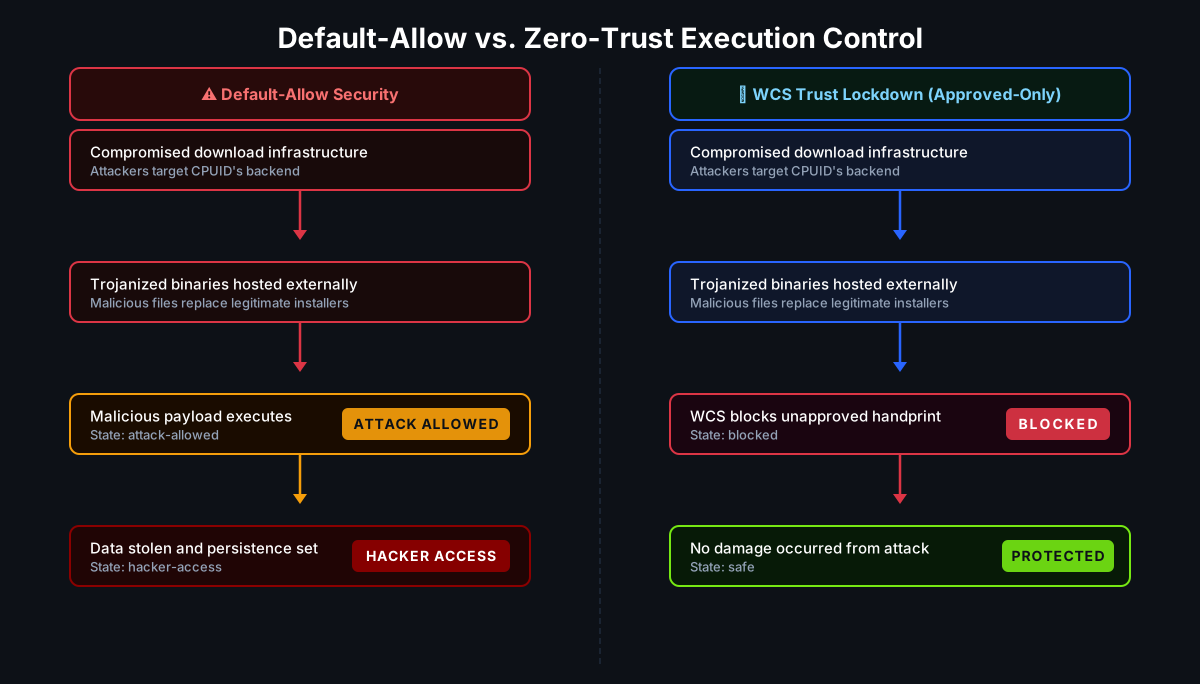
Default-allow environments (traditional AV, EDR) permitted the installer to execute because it arrived from a trusted domain and had not yet been flagged as malicious. The credential theft payload completed its work in the gap between execution and detection.
WCS Trust Lockdown prevented execution entirely, because the handprint was not approved. Detection was never required — prevention made it irrelevant.
Real-World Impact
Credential theft at scale
Chrome is the dominant browser in enterprise environments, and Chrome's credential store is one of the most targeted data sources in modern attacks. A single compromised workstation can yield dozens or hundreds of stored credentials: internal applications, cloud consoles, SaaS platforms, development tools, and personal banking accounts.
For organizations where developers or IT administrators downloaded the affected CPUID tools during the compromise window, the credential exposure surface is significant. Any account whose credentials were stored in Chrome and accessible from those workstations should be treated as potentially compromised.
Developer and IT workstations as high-value targets
CPU-Z and HWMonitor are rarely installed on standard end-user workstations. They are primarily used by people who build, test, and maintain systems. These are exactly the accounts attackers want: access to deployment pipelines, infrastructure credentials, source code, and administrative interfaces. A credential harvest from a senior engineer's workstation may provide lateral movement paths that are more valuable than a broad phishing campaign against general staff.
The six-hour myth
Six hours sounds short. In breach context, it is not. Major credential breaches have resulted from attack windows measured in minutes. The CPUID incident had a six-hour window during active business hours for global users. Any user checking performance metrics before an overclocking session, any IT admin verifying hardware health on a new server, any developer benchmarking a new machine during that window was potentially exposed.
Short windows are not safe windows.
Key Takeaways
- Attackers compromised CPUID's download backend, replacing CPU-Z and HWMonitor installers with credential-stealing malware for approximately six hours in April 2026.
- The attack exploited user trust in a familiar domain and familiar software name — no phishing, no suspicious links, no unexpected file types.
- The malware was multi-stage, used obfuscation and in-memory techniques, and specifically targeted Chrome-stored credentials.
- Signature-based and behavioral detection failed because the malicious installer was new (no known signature), the legitimate signed binary was untouched, and in-memory execution avoided disk-based scanning.
- WCS Trust Lockdown would have blocked the trojanized installer at the execution stage: its handprint was not on the approved Trust List, so it could not run — regardless of where it was downloaded from.
- Trust in the download source does not confer trust in the binary. Every file must be individually approved to execute.
- If you downloaded CPU-Z or HWMonitor from cpuid.com during the April 2026 compromise window, rotate all Chrome-stored credentials and hunt for persistence on affected systems.
References
- HWMonitor and CPU-Z Developer CPUID Breached — Tom's Hardware (April 2026)
- CPUID Site Hijacked — The Register (April 2026)
- Supply Chain Attack at CPUID Pushes Malware with CPU-Z, HWMonitor — Bleeping Computer